
S7 for Windows®
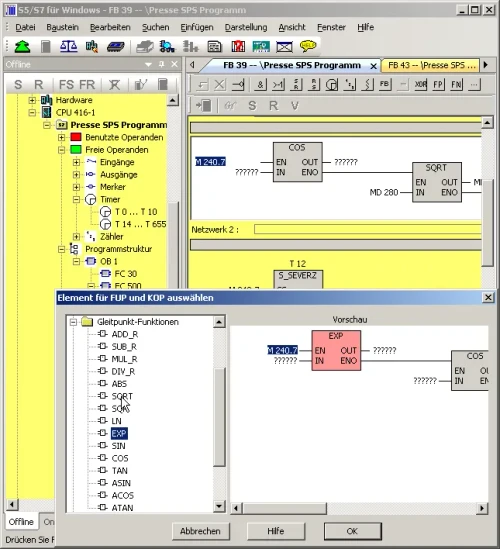
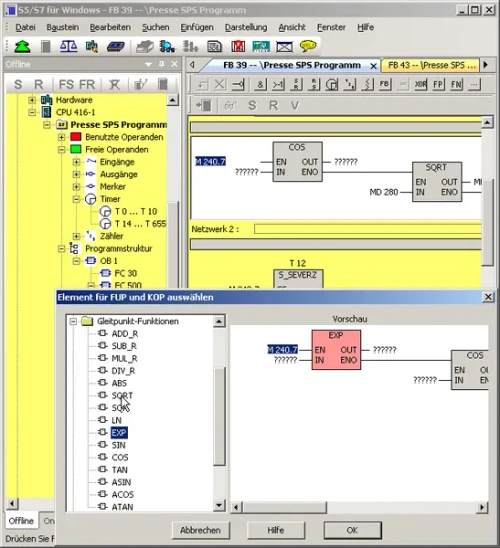
To program the Siemens S7-300 and S7-400 PLC series efficiently, IBHsoftec provides S7 for Windows®. It can be combined with S5 for Windows® or run standalone, and it programs the entire SIMATIC S7-300 and S7-400 range. The complete S7 instruction set is implemented in Statement List (STL), Function Block Diagram (FBD) and Ladder Diagram (LAD).
Already running V6? You do not need a new license. The update to Version 7 is free, and requires only your existing serial number.
Windows 11 compatible. S7 for Windows® V7 runs on Windows 11 (64 bit).
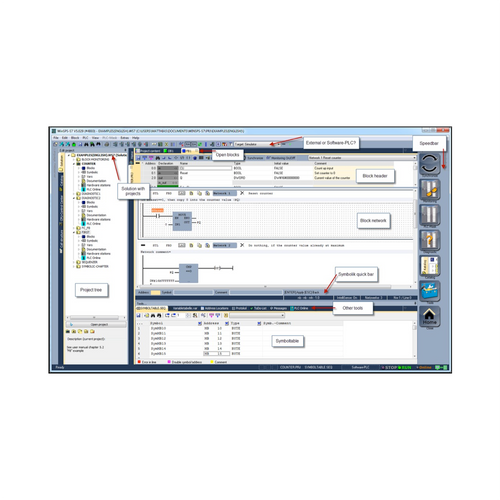
Interface and online functions
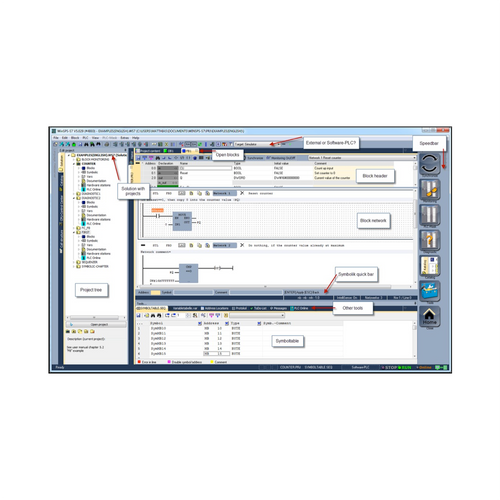
All online functions are implemented. The operating concept in version 7 was rebuilt around current thinking in operator guidance: block lists and symbolic tables can be arranged freely, moved in any order from the main window onto a second screen, and hidden automatically to free up screen space. Module parameter presentation has been adjusted to match. All installed interfaces capable of connecting to a PLC are shown in the online view.
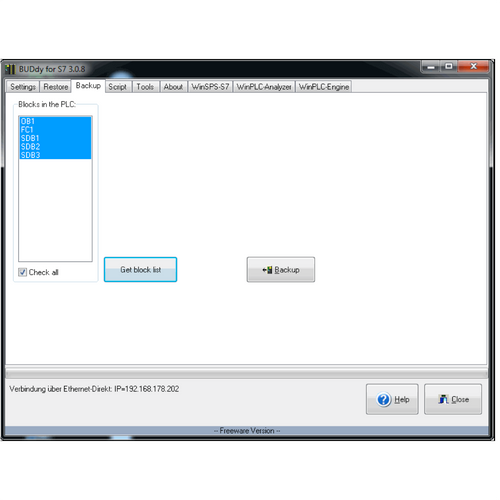
Connecting to your S7 PLC
S7 for Windows needs a physical connection to the controller. Which one fits depends on whether you work at the panel or want the PLC on your network:
- USB-S7 Adaptor MPI, DP, PPI – plugs straight into the MPI programming socket on the CPU, or any other node on the MPI bus, and connects to your laptop over USB. The direct choice for working in front of the machine. Powered from the PC, with an LCD display showing transmission rate and address.
- IBH Link S7++ – an Ethernet to PROFIBUS gateway that replaces a Siemens CP and SIMATIC NET, giving you programming and PLC to PLC communication over standard TCP/IP, including through a router or VPN. Draws power from the MPI/DP interface where available.
- IBH Link S7++ HS – the same capability in a DIN rail mount housing with an external 24 V supply, for permanent installation inside the cabinet rather than hanging off the programming port.
Status view
The entire S7 instruction set can be shown in status view in Statement List, and status operation is also available in Function Block Diagram and Ladder Diagram. Variable views and symbolic tables are integrated into the status window.
Project handling
- All STEP 7 projects can be edited directly with no import or export step, and archived STEP 7 projects can be opened directly.
- Password protection can block all write access to the PLC.
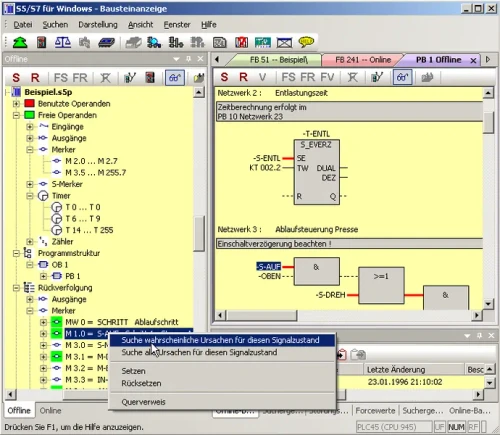
- Signal (operand) traceability, cross reference across complete I/O modules, and hardware or module diagnostics are supported.
- Print preview and forcing of operands are included.
- Conversion from S5 to S7 programs has been optimized.
- Complete S7 projects can be saved to a memory card, depending on the CPU.
Simulation, comparison and automated debugging
Version 7 includes S7 simulation and the block comparison tool (BlockDiff), and the S7 Doctor functions for automated troubleshooting are integrated. S7 for Windows performs fully automated debugging in the running PLC program: it carries out the tasks a classical debugging session would require and returns the reason for the stop in plain text. Unlike conventional diagnostic tools, it needs no special adaptation of the PLC program.
OsciCAM®
Analyze motion processes by synchronizing previously recorded video with process signals. Recorded video plays in sync with process signals and a time stamped record of PLC block status.
Statusrecorder
Explore dynamic procedures by reviewing block status frame by frame after the fact. The Statusrecorder logs block status with a time stamp and lets you switch between STL, CSF and LAD during review.
Integrated oscilloscope
The oscilloscope feature extends the diagnostic capability of the programming system. Dynamic processes are monitored and analyzed in an integrated screen modeled on an oscilloscope front panel. Pointing at I/O signals with a virtual test probe is enough to monitor several signals at once inside the virtual oscilloscope, and recording can be stopped at any point to investigate the timing of a machine fault.
Beyond I/O signals, the state of local variables at a defined position in program execution can be watched by pointing the test probe at the variable in block status, which is only possible because the oscilloscope is built into S7 for Windows. Recorded data can be saved for later investigation, for archiving, or to send by email.
Hardware configuration and PROFIBUS
The hardware configuration handles module parametrizing, address allocation and PROFIBUS configuration. Clicking a module in the configuration opens a dialogue for setting its parameters, and changes made in the detail window of a module or CPU are clearly marked so nothing is altered unintentionally before saving.
- The hardware catalogue includes the original Siemens PROFIBUS components plus compatible components from other manufacturers, and can be extended with GSD files.
- Hardware configurations in existing STEP 7 projects can be read and edited, and configurations can be read and edited directly from a PLC as well as created offline.
- Module diagnostic functions are integrated for quick debugging.
- The hardware catalogue is updated constantly for the latest modules, and updates are free via the internet.
Also available
- S5/S7 for Windows® – the combined package, covering both the SIMATIC S5 family and the S7-300 and S7-400 series in one application. Worth comparing if you still support S5 equipment alongside S7.
- S5/S7 AI for Windows® – the combined package plus an AI copilot that analyzes your open project and live PLC data, and answers troubleshooting questions in plain language. Useful on older systems where the documentation is incomplete.